
Create with AI (beta) turns a description into a document, spreadsheet, slides or PDF in a designed template. The step we care about is in the middle: before anything is written, it shows you an outline, and you fix that first. The outline is cheap. A finished document built on the wrong plan is not.
It runs on Android, needs the internet, and everyone gets 2 free creations without Pro.
1. Describe it
Open Create with AI from Home, from the Tools tab, or from the + menu's New sheet. Under Describe what you need, type or paste what the document is for. If you paste headings, lists or tables, they are kept.
Then the choices, all optional:
- Kind of file: a text document, spreadsheet, slides or PDF, or Let AI choose from your description.
- Attach documents: notes, last year's report, a price list. They are read on your phone, and only the passages AI needs are sent, with their file names. A file with a password, a file in the Vault, or one that does not allow copying its text cannot be attached.
- A design. AI picks one unless you choose.
Before you go on, the screen shows the estimated total in credits: the outline plus about so many pages, slides or sheets.
2. Review the outline
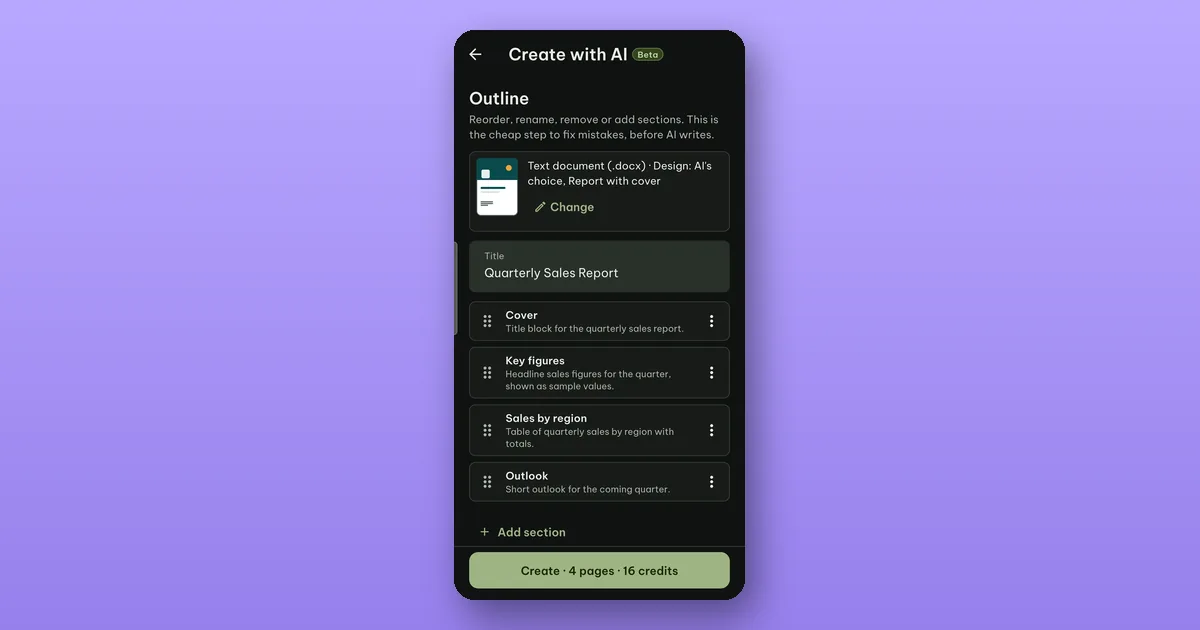
This is the screen in the picture. It shows the kind of file and the design AI will use, with a small picture of it; Change picks others. Below are the title and the sections, each with a line saying what goes there.
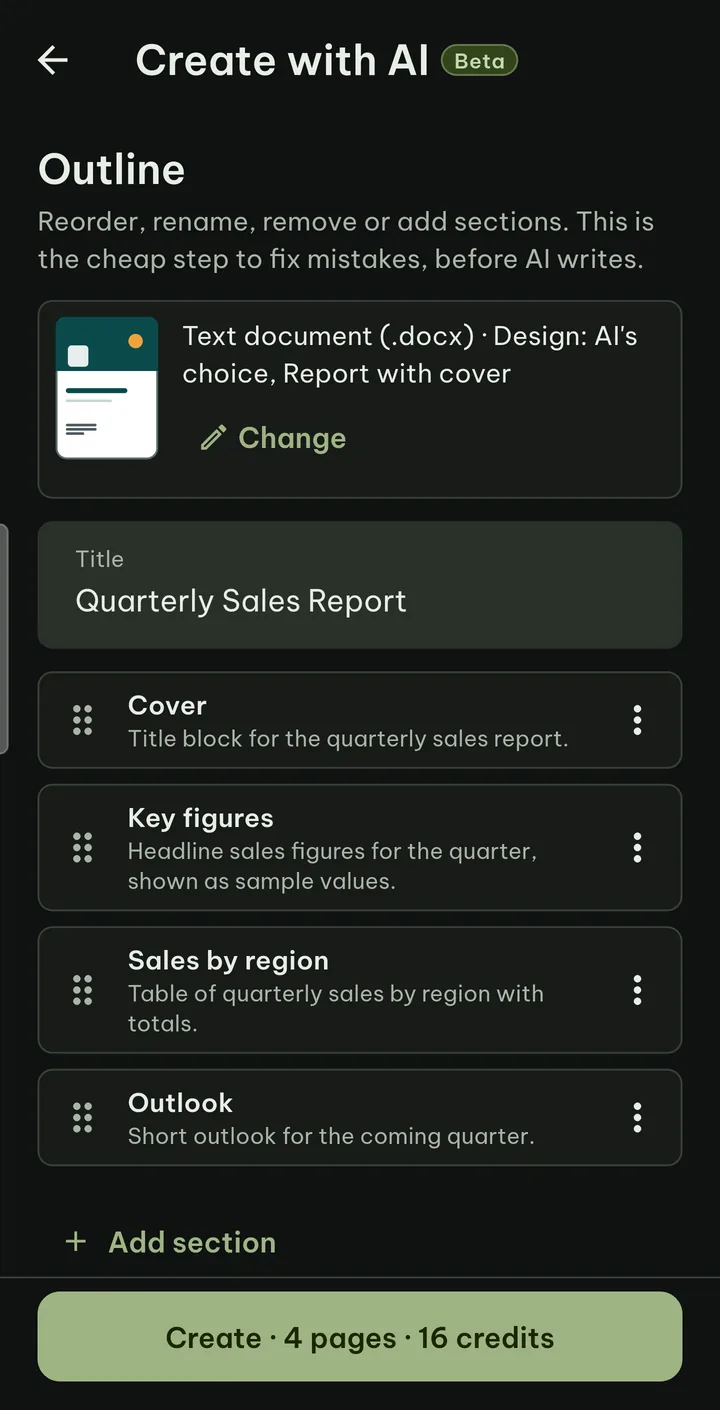
Tap a section to rename it and say what goes in it. Its menu adds a section below, moves it or deletes it. Add section adds a new one. As the app puts it: this is the cheap step to fix mistakes, before AI writes.
The button at the bottom says what you get and what it costs, for example Create · 4 pages · 16 credits. Nothing is written until you tap it.
3. The file is written
AI writes the sections into the template. You can leave the screen or switch apps while it works; a notification shows the progress and tells you when it is ready, if you allow notifications. If Pagiro is closed in the middle, open it again within 15 minutes and it picks up where it was, at no extra cost. After that it stops and the credits it used are given back.
When it is ready you see the first page. It is an ordinary file that you edit like any other.
What it costs
The prices are shown before each tap:
- 2 credits to choose a design,
- 10 credits for the outline (nothing when you go back and it is reused),
- then 4 per page, 3 per slide or 8 per sheet,
- changing one part afterwards costs 4.
If a document fails its checks, you get a message and your credits come back. An error on our side costs nothing.
The 2 free creations are per installation of the app, without Pro, for documents of up to 5 pages, 8 slides or 2 sheets. When a free one is used, the finished screen says which free try it was. After that, Create with AI is paid with Pro's monthly credits (600 a month with the monthly and yearly plans, 200 with lifetime) or with a credit pack, which works without Pro.
Read the draft
The result is a first draft written by an AI model. Check facts, names and numbers before you send it anywhere; numbers it was not given may be sample values. For contracts and other legal documents, the app reminds you that it is not legal advice.
What is sent, and how long it is kept, is in what happens to your text when you use AI.