
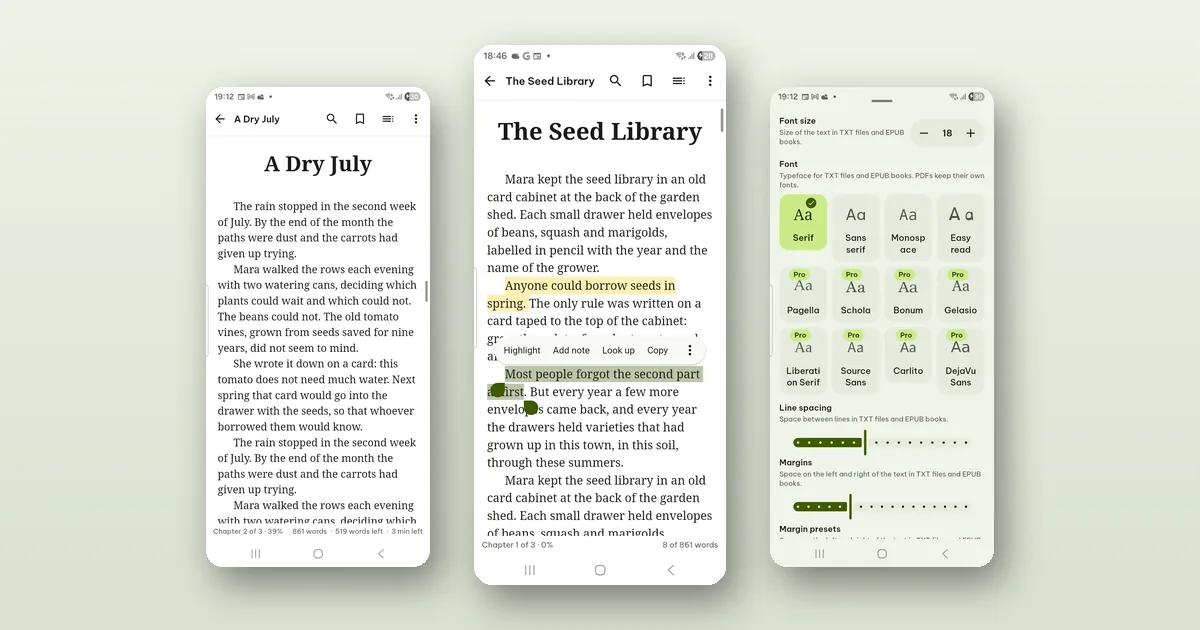
Pagiro reads EPUB, MOBI, AZW3 and FB2 books, and all of the reading, highlighting and note-taking is free. The one limit to know first: books with DRM cannot be opened. That usually means books bought in a store that locks them to its own app. Books you downloaded without DRM, from a publisher, a library of free classics or your own writing, open like any other file.
Open the book with + › Open file, or tap it in a file manager or chat app and pick Pagiro under Open with. It joins your library, under the Books filter.
Turning pages
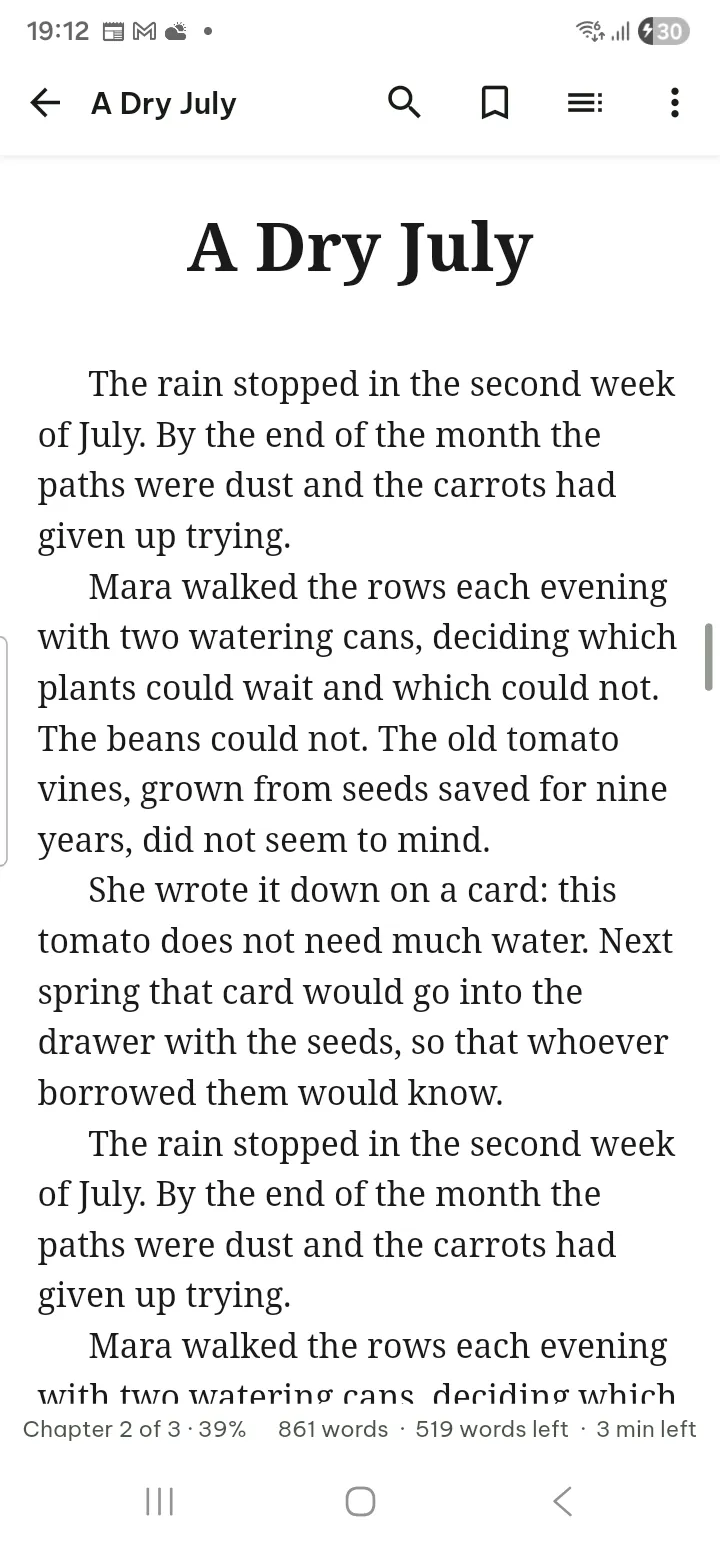
Swipe or tap the edges of the screen to turn the page. Tap the middle to show the bars, and tap again to hide them.
Contents opens a drawer with the book's Contents, your Bookmarks and Highlights, the Landmarks the book defines, your Recent positions, and Print pages when the book maps its text to the pages of a printed edition (handy when a teacher says "page 214"). Search finds text in the whole book.
When you are done with a book, ⋯ › Mark as finished takes it off the Continue reading card on Home, so the card shows what you are reading now.
Making the text comfortable
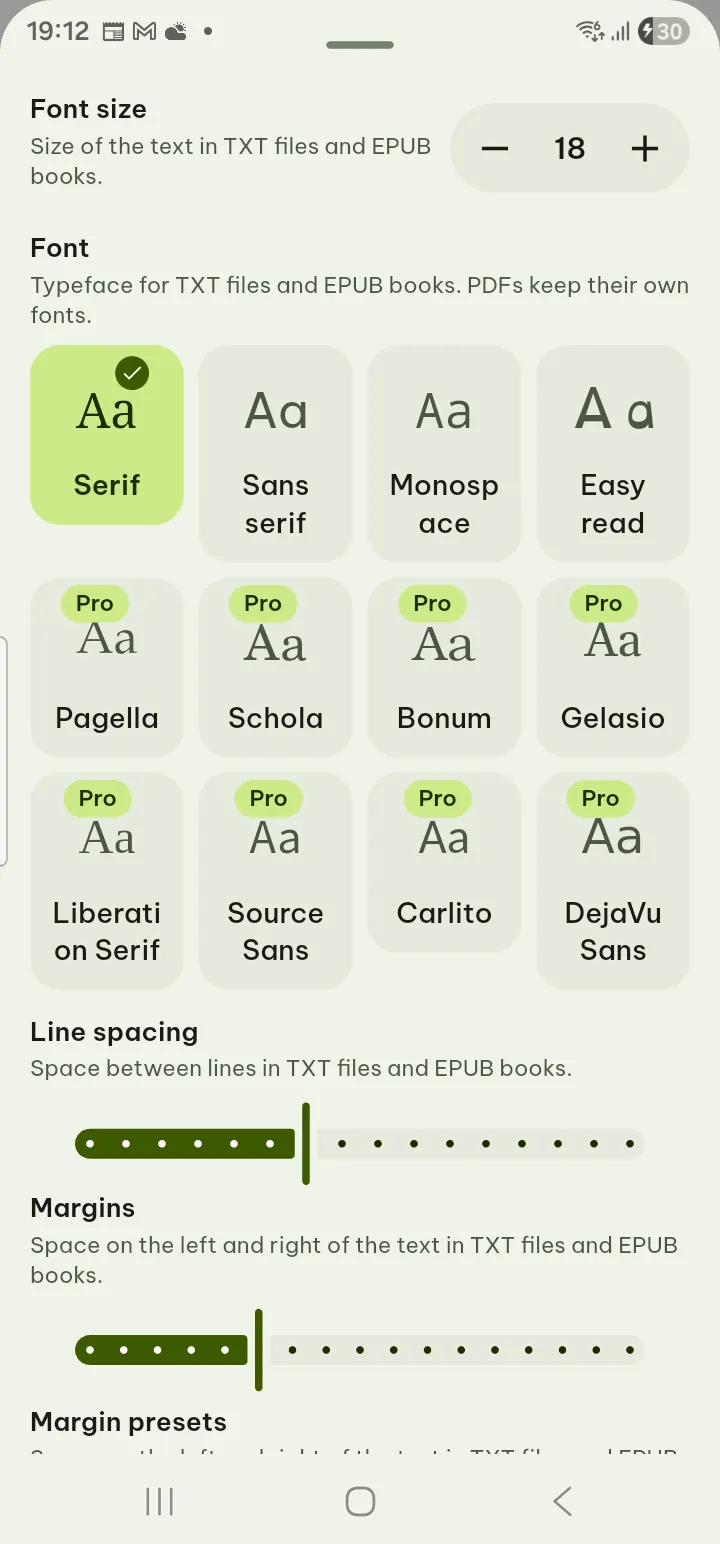
Tap ⋯ › Text settings. This is where most of the difference between a tiring and a pleasant read comes from, so it is worth two minutes the first time.
- Font size and Font: Serif, Sans serif, Monospace and Easy read are free. Eight more typefaces come with Pro.
- Line spacing and Margins.
- Line length: Full width is free; Narrow, Comfortable and Wide are Pro. On a tablet or a phone held sideways, a shorter line is easier on the eyes.
- Layout: Pages or Scroll, plus the Page turn effect and Two pages side by side.
- Turn pages with the volume buttons, for reading with one hand on a bus.
- Publisher's formatting: keep the book's own styles, or turn them off when a book sets its text in a way you do not like.
⋯ › Display sets the theme and the page color. Original, Inverted and Sepia are free; Paper, Mint and Slate are Pro.
Highlights and notes
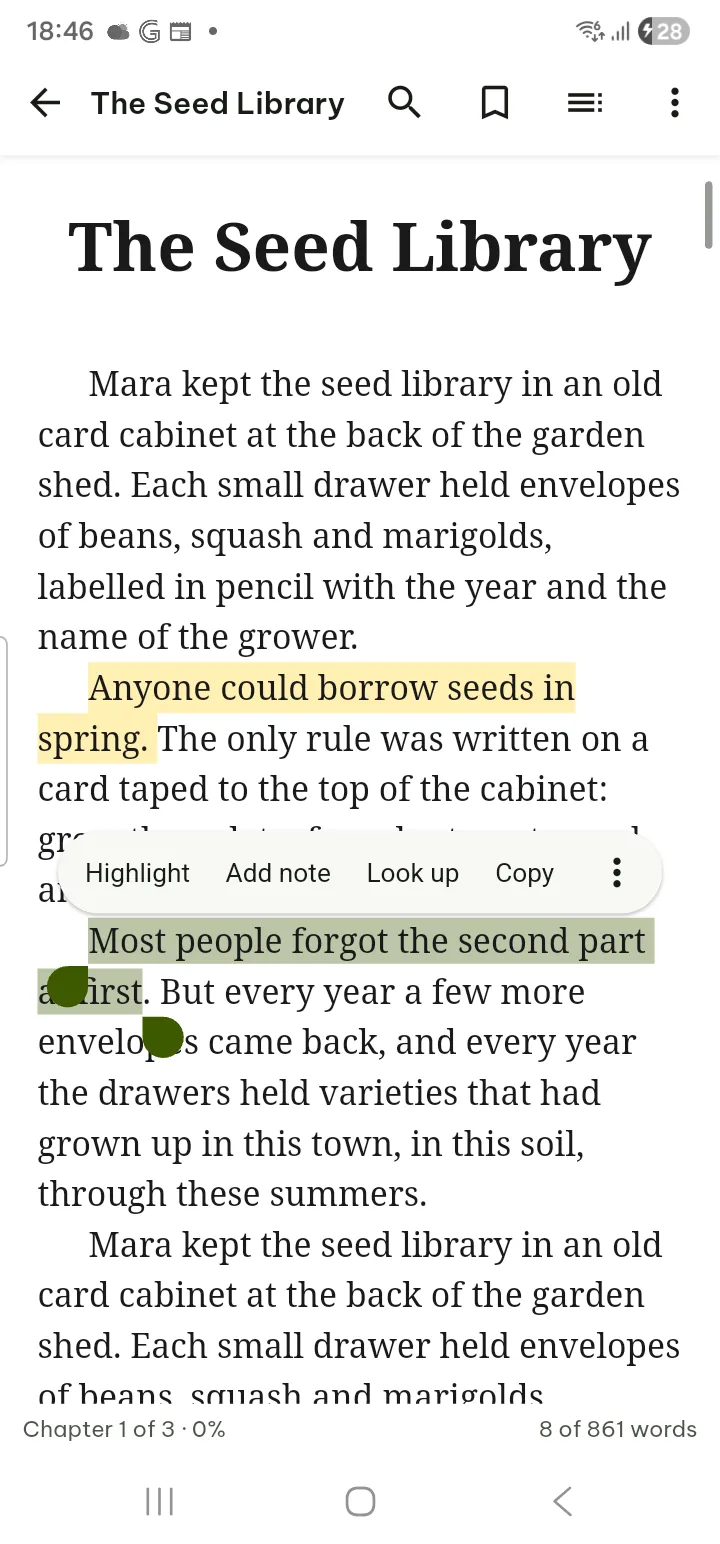
Press and hold a word and drag to select a passage. The menu offers Highlight, Add note, Look up, Search in document and Share text.
Tap a highlight later to edit its note, turn it into a flashcard with Make flashcard, or delete it.
A point about where these live. EPUB files are opened read only: Pagiro does not write your highlights into the book file. They are kept in the app, linked to the book. That keeps the file exactly as you got it, and it means your marks travel with Pagiro's data, not with the file. If you send the .epub to a friend, your notes do not go with it.
To keep your marks safe, Settings › Storage & backup › Export data saves reading positions, bookmarks, highlights and settings in one file, for free.
Getting your highlights out
Highlights are more useful outside the book: in an essay, in study notes, in a message to the person who recommended the book.
- Contents › Highlights lists every highlight in the book, with Export highlights.
- From the Library, a book's ⋯ menu has Export highlights and notes as PDF, .docx, Markdown, HTML or plain text.
- Settings › Flashcards › Export all highlights exports from every document at once.
Looking up words offline
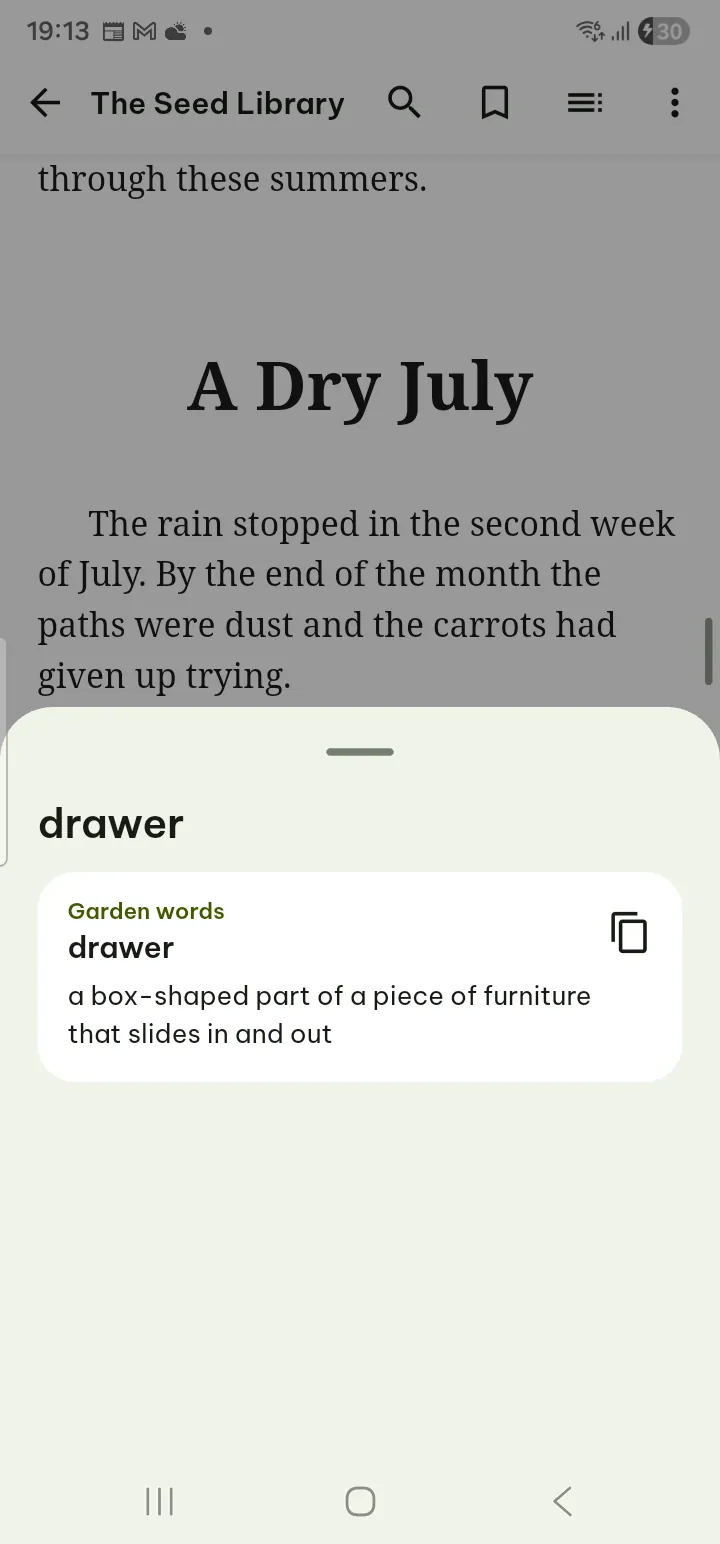
Pagiro has no dictionary built in. You add your own, and then look-ups work without internet.
- Open Settings › Flashcards › Dictionaries. If you have none yet, Look up › Manage dictionaries gets you there too.
- Tap Import dictionary and pick a StarDict dictionary (the .ifo, .idx and .dict or .dict.dz files together, or a .zip or .tar.gz that holds them), or a simple word list with one word, a Tab and its meaning on each line (.txt, .tsv or .csv).
- In the book, select a word and tap Look up. Copy definition copies the meaning.
When a word is not in your dictionaries, the sheet says so. The word-list format means you can build a small glossary for one subject yourself, in any spreadsheet, and import it as a .csv.
A dictionary you do not want for now can be switched off with Use for Look up, without deleting it.
From highlights to flashcards
If you read to learn, Contents › Highlights also has Make flashcards from highlights. You write a Front and Back for each card, and Pagiro brings them back on a spaced schedule. The guide shows how review works.
Other book formats
MOBI, AZW3 and FB2 open in the same reader, read only, and can be saved as PDF or printed. Comics in .cbz and .cbt have a viewer of their own. The full list is on the formats page.
Everything above, step by step, is in the guide under E-books, study and other files.