
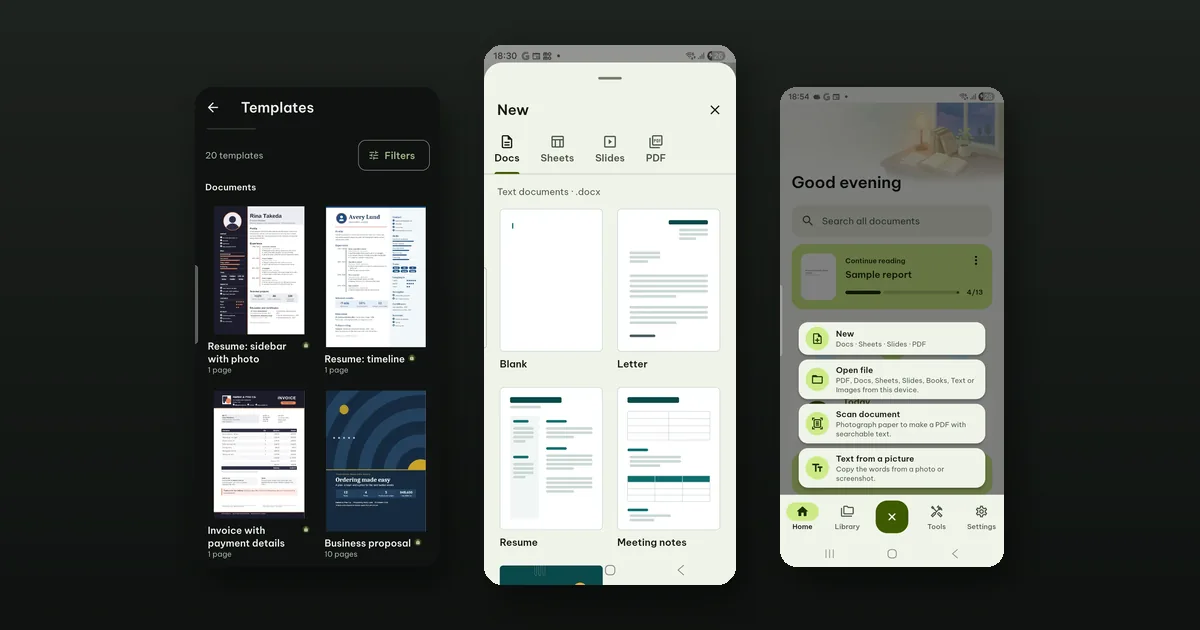
Tap the round +, then New, then Templates at the top of the sheet. That opens the template library: 20 finished documents, spreadsheets, slides and fillable PDF forms that you can turn into your own file and edit on the phone.
They are built into the app. Nothing is downloaded when you open one, so the library works on a plane or with no signal at all. Looking at every template, every page and every color is free. Use this template, which makes the file, is part of Pro.
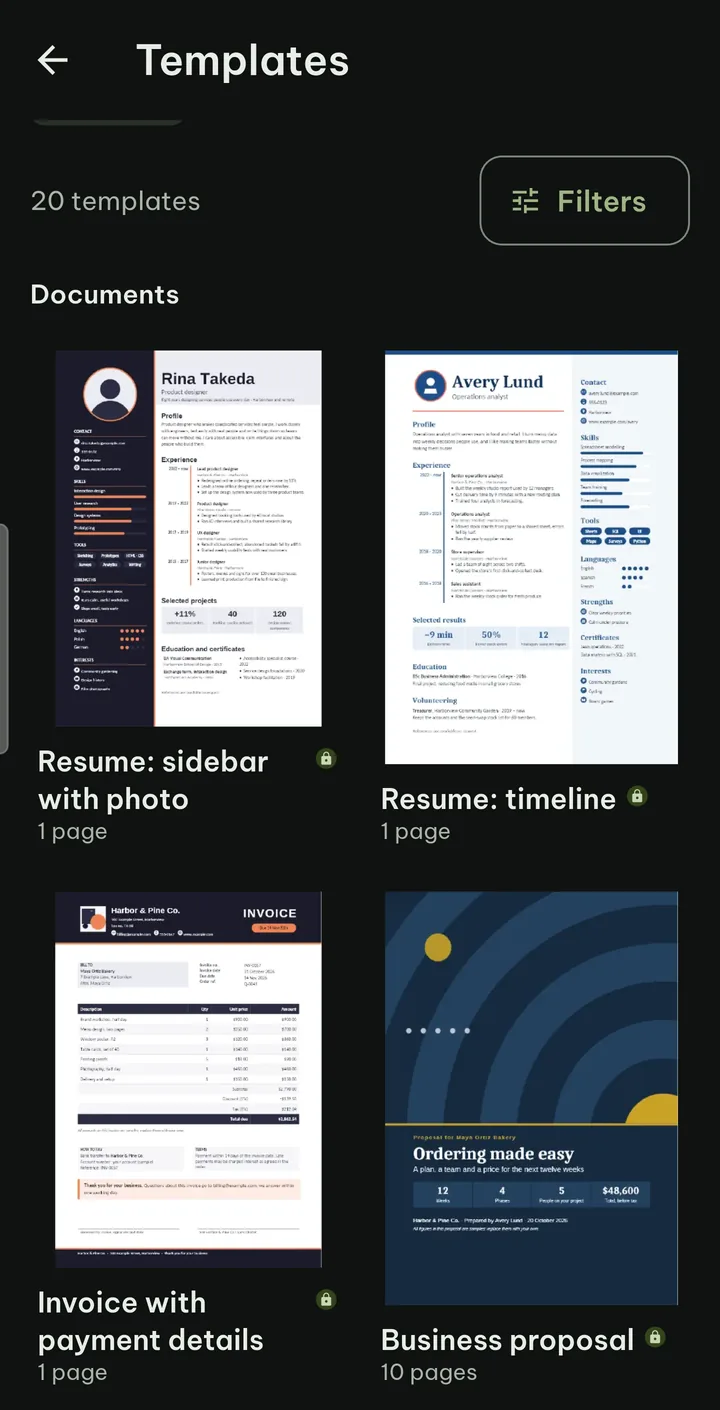
What is in it
Five of each kind.
Documents (.docx)
- A bold two-column resume with a full-height sidebar and skill bars, with a photo or a monogram.
- A one-page resume with your experience on a timeline.
- An invoice with line items, tax and totals, a due date badge, payment details and a signature block.
- A business proposal with a cover, contents, scope, timeline, team, pricing and a signature block.
- An annual report with a full-page cover, contents, chapters, charts and key figures.
Spreadsheets (.xlsx)
- A monthly budget: transactions, categories, a year view and a dashboard with charts.
- A project tracker with tasks, a weekly Gantt chart, team workload and a dashboard.
- A sales dashboard: sales against targets by region and month.
- An expense report that adds up the claims and checks them against the policy.
- A team timesheet with hours by project and overtime.
Slides (.pptx)
- A pitch for investors, a monthly business review, a marketing plan, a project kickoff and status deck, and a science lesson on plants with diagrams and an experiment.
Fillable PDF forms
- A job application, a leave request, an event registration, a client intake form and a volunteer application, each with real form fields, such as drop-downs and signature fields, ready to be filled in.
Finding the right one
Twenty is not many, but the library still has Search templates and Filters: by use (Work, School, Personal, Business, Events, Careers, Finance and more), by style, by the number of pages, sheets or slides, and by what it includes (Pictures, Charts, Fields to fill in).
Tap a template to look at its pages. Some come in versions (a resume With photo or Without photo), and you can look at them in other colors. A long template shows its first pages; the file you make has every page.
Making your file
- Pick the template, the version and the color.
- Tap Use this template.
- Type a name in Name your file. Pagiro makes a new file and opens it ready to edit.
The template itself never changes. You can make ten invoices from it and each is its own file in your library.
What you get is an ordinary .docx, .xlsx, .pptx or PDF file, not a format of our own, so you can edit it in Pagiro, share it, print it or save it as PDF like any other document.
The free templates on the New sheet
The library is not the only place to start from. The New sheet itself has tabs for Document, Spreadsheet, Presentation and PDF, each with Blank and a set of simpler templates that are free (letter, resume, meeting, report, budget, planner, invoice, attendance, pitch, lesson, album, lined, checklist and form, spread over the four tabs).
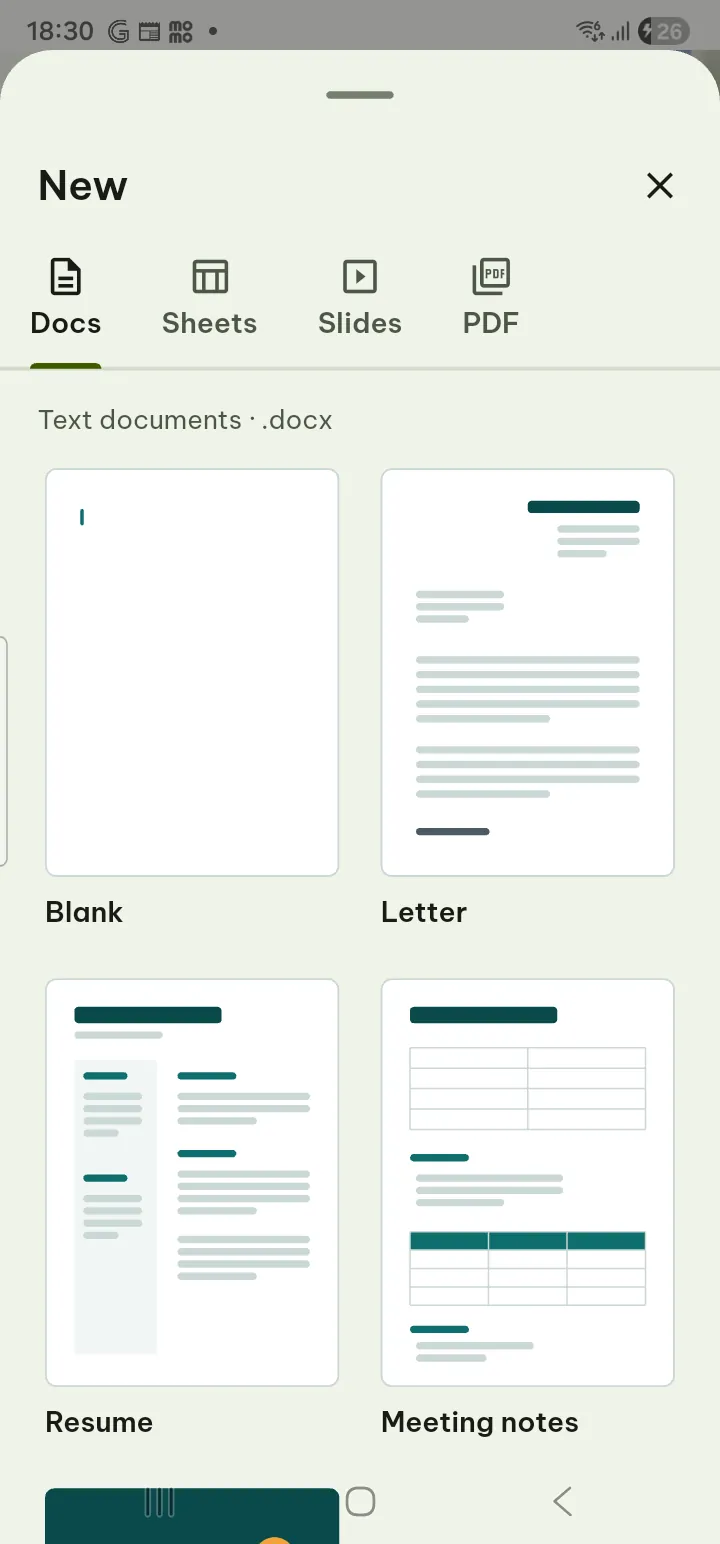
Each tab also has More templates, a second Pro set of 37 (resumes, contracts, quotations, budgets, timesheets, slide decks and more). The same rule applies there: preview for free, Pro to use.
What is free and what is not
We kept the rule simple. You can see exactly what you would get before you pay anything, blank files and the simple templates stay free, and only making a file from the library or from More templates needs Pro.
The steps are in the guide under New document.